 xLiveWallpaper
Delta Force medic Live Wallpaper
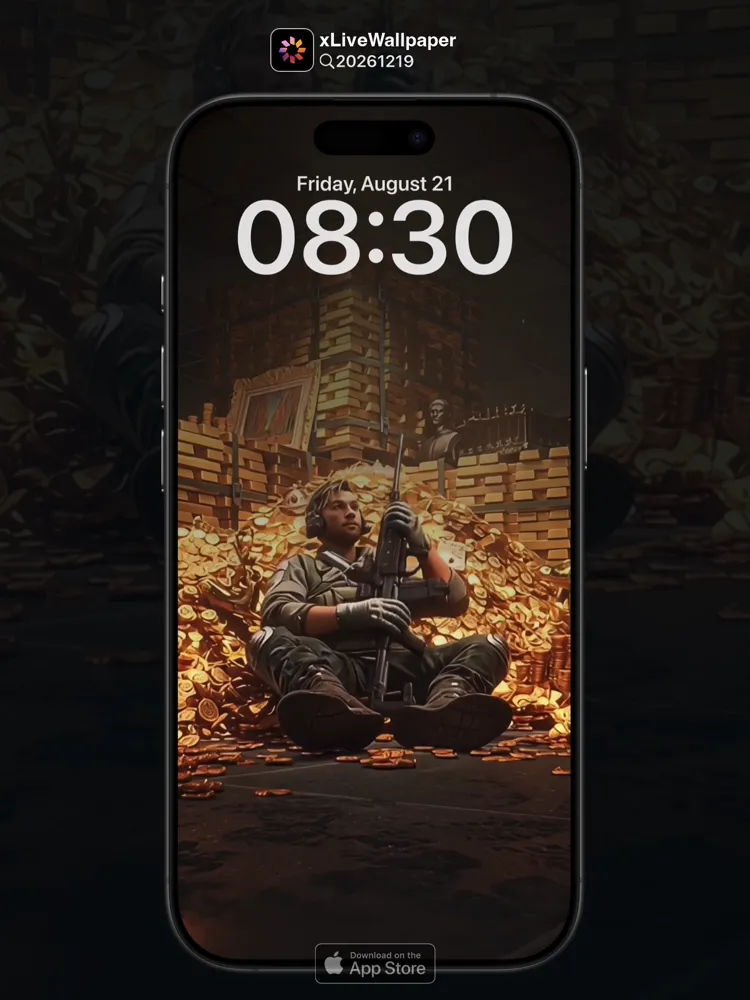
No.20261219 Delta Force medic Live Wallpaper
💉The Medic drops from a low-flying helicopter into the chaos of a forward operating base under heavy fire🚁. Clad in tactical armor with the distinctive yellow armband of a combat medic, he moves with practiced urgency across the dusty terrain🏥. His medkit bounces against his hip as he sprints toward a fallen comrade, already pulling tourniquets and hemostatic gauze from his pockets🩹. Behind him, the dust kicked up by rotor wash stirs into the air, illuminated by the amber glow of distant muzzle flashes⚡. Every movement is efficient and deliberate—no wasted motion, every step calculated to reach the wounded and bring them back from the edge of death💫. The Medic’s eyes are focused, scanning for threats while simultaneously assessing injuries, embodying the brutal yet essential role of someone who runs toward danger when everyone else runs away🛡️.
🖼️Combat medic with yellow armband|Dropping from low-flying helicopter|Sprinting across dusty terrain with medkit|Pulling tourniquets and hemostatic gauze|Amber muzzle flashes in background|Focused eyes scanning for threats.
You can now join our live wallpaper club at early-bird price, supporting both Android video and iOS Live Photo formats.
https://locklive.gumroad.com/l/vip
iPhone users search ‘20261219’ in xLiveWallpaper App
Download:https://apps.apple.com/app/apple-store/id6747997192?pt=611621&ct=xlivewallpaper&mt=8
#LockLive #xLiveWallpaper #LiveWallpaper #DeltaForce #Medic
No.20261219 三角洲部队 蜂医 动态壁纸
💉蜂医从低空飞行的直升机中跳下,进入处于敌军火力猛烈轰击下的前沿作战基地的混乱局面🚁。他身穿战术护甲,手臂上佩戴着作战医生的标志性黄色袖标,在满是灰尘的地形中以熟练的紧迫感移动🏥。急救箱在他的臀部边弹跳,他冲向倒下的战友,已经从口袋里拉出止血带和止血纱布🩹。在他身后,旋翼搅起的灰尘在空中翻飞,远处的炮口闪光发出琥珀色的光芒⚡。他的每个动作都高效而刻意——没有多余的动作,每一步都经过计算,旨在赶到伤者身边并把他们从死亡线上拉回来💫。蜂医的眼神专注,同时扫描威胁和评估伤势,完美体现了那个在所有人撤退时反而冲向危险的角色残酷却又不可或缺的使命🛡️。
🖼️佩戴黄色袖标的作战医生|从低空飞行的直升机跳下|手持急救箱冲过满是灰尘的地形|拉出止血带和止血纱布|背景中琥珀色的炮口闪光|扫描威胁的专注眼神。
iPhone 用户下载 实况全能王 App中搜索「20261219」
#动态壁纸 #LockLive #实况全能王 #LiveWallpaper #xLiveWallpaper #三角洲部队 #蜂医
安卓與iPhone動態桌布設定速成指南
下載準備
在本網站選擇喜愛的動態桌布後:
- 安卓用戶:下載MP4格式影片檔
- iPhone用戶:下載Live Photo實況格式
安卓設定步驟(影片檔)
- 下載完成後,進入手機「檔案管理」
- 找到下載的影片檔,長按選擇「設為桌布」
- 或使用第三方應用:安裝「壁纸引擎」「Android版 Wallpaper Engine」應用程式,從應用內選擇本網站下載的影片檔
- 調整設定:建議開啟循環播放,可選擇靜音節省耗電
- 套用完成:選擇設為主畫面或鎖定畫面
iPhone設定步驟(實況格式)
- 匯入檔案:透過 OneDrive 手机應用或 AirDrop 傳到iPhone
- 開啟「照片」應用:找到匯入的實況照片
- 點擊分享圖示 → 選擇「用作背景圖片」
- 調整位置後點擊「設定」
- 重要:進入「設定」>「背景圖片」,確認「原況照片」選項已開啟
- 鎖定畫面下重壓螢幕即可看到動態效果
效能提示
- 安卓旗艦機型可選4K畫質,舊機型建議使用1080p
- iPhone機型仅支援使用1080p
- iPhone機型仅支援使用1-2秒
- iPhone低電量時建議暫停使用動態桌布
- 深色系桌布較節省電力(特別適合OLED螢幕)
本網站特色
- 每週更新獨家動態桌布
- 提供雙平台專用格式
- 檔案已優化,兼顧品質與效能
立即下載,讓您的手機主畫面與眾不同!
Quick Guide to Setting Live Wallpapers on Android & iPhone
Download Preparation
After selecting your favorite live wallpaper on this website:
- Android Users: Download the video file in MP4 format
- iPhone Users: Download the file in Live Photo format
Android Setup Steps (Video File)
- After downloading, open the File Manager on your phone
- Locate the downloaded video file, long-press it and select Set as Wallpaper
- Or use a third-party app: Install applications like Wallpaper Engine or Wallpaper Engine for Android, then select the downloaded video file from within the app
- Adjust settings: It is recommended to enable loop playback, and you can choose to mute the audio to save battery power
- Once applied: Select to set it as the home screen wallpaper or lock screen wallpaper
iPhone Setup Steps (Live Photo Format)
- Import the file: Transfer it to your iPhone via the OneDrive mobile app or AirDrop
- Open the Photos app: Locate the imported Live Photo
- Tap the share icon → Select Use as Wallpaper
- Adjust the position and then tap Set
- Important Note: Go to Settings > Wallpaper and make sure the Live Photo option is enabled
- Press firmly on the screen when it is locked to see the live effect
Performance Tips
- Flagship Android models can support 4K resolution; for older models, 1080p is recommended
- iPhone models only support 1080p resolution
- iPhone models only support Live Photos of 1-2 seconds in length
- It is recommended to pause using live wallpapers when your iPhone is in low battery mode
- Dark-themed wallpapers are more power-efficient (especially suitable for OLED screens)
Website Features
- Exclusive live wallpapers updated weekly
- Specialized formats provided for both platforms
- Optimized files that balance quality and performance
Download now to make your phone's home screen stand out from the crowd!